To start a Banglarbhumi Mutation Application, open the official Banglarbhumi portal, sign in as required and choose Citizen Services → Online Application → Mutation Application. Select the land location, complete the applicant and transfer details, provide the required enclosures and follow the submission and fee instructions shown. Save each acknowledgment and payment reference issued for your request.
Use the official Banglarbhumi portal to apply. Banglarbhumi.info provides independent explanations and does not submit applications or collect government fees. For related tasks, see our Banglarbhumi land records guide.
Banglarbhumi.info · Application preparation
Keep the right details in the right section
Match District, Block and Mouza with your papers. Keep the Khatian and Plot references ready.
Use your actual capacity. Choose Self or POA Holder only as applicable to your case.
Keep buyer/recipient details separate from seller/predecessor details. Follow your transaction records.
Match enclosures to the live requirements. Review names, record numbers, area and units before submitting.
Preparation overview only. Follow the official form for the actual field order, required answers, uploads and payment steps.
What does a mutation application do?
Mutation concerns updating the relevant land-record entry following a transfer or another change that needs to be recorded. The supporting documents depend on the transaction and case. An application acknowledgment, payment receipt and final decision are separate records; submitting or paying does not by itself establish approval.
Before starting, identify the transfer concerned and the correct service for the property. For municipal-record mutation, check the relevant municipal authority’s process rather than assuming a Banglarbhumi application updates every separate property record.
Applicant, buyer and transferor: whose details go where?
| Form section | What to prepare | Common mistake to avoid |
|---|---|---|
| Applicant / representative | The person applying and any representative authority requested | Assuming the account holder’s details belong in every field |
| Buyer / transferee | Details of the person receiving the interest concerned, as applicable to the transaction | Copying the seller’s details into buyer fields |
| Seller / transferor / predecessor | The person from whom the interest is transferred, as applicable | Assuming every case is a sale |
| Land schedule | Correct location, Khatian, plot and area details | Using the correct number with the wrong mouza |
If the form offers Self and Power of Attorney (POA) Holder, choose the option that reflects your actual capacity and provide the required authority documents. A tutorial’s selected answers are examples, not recommended defaults for every applicant.
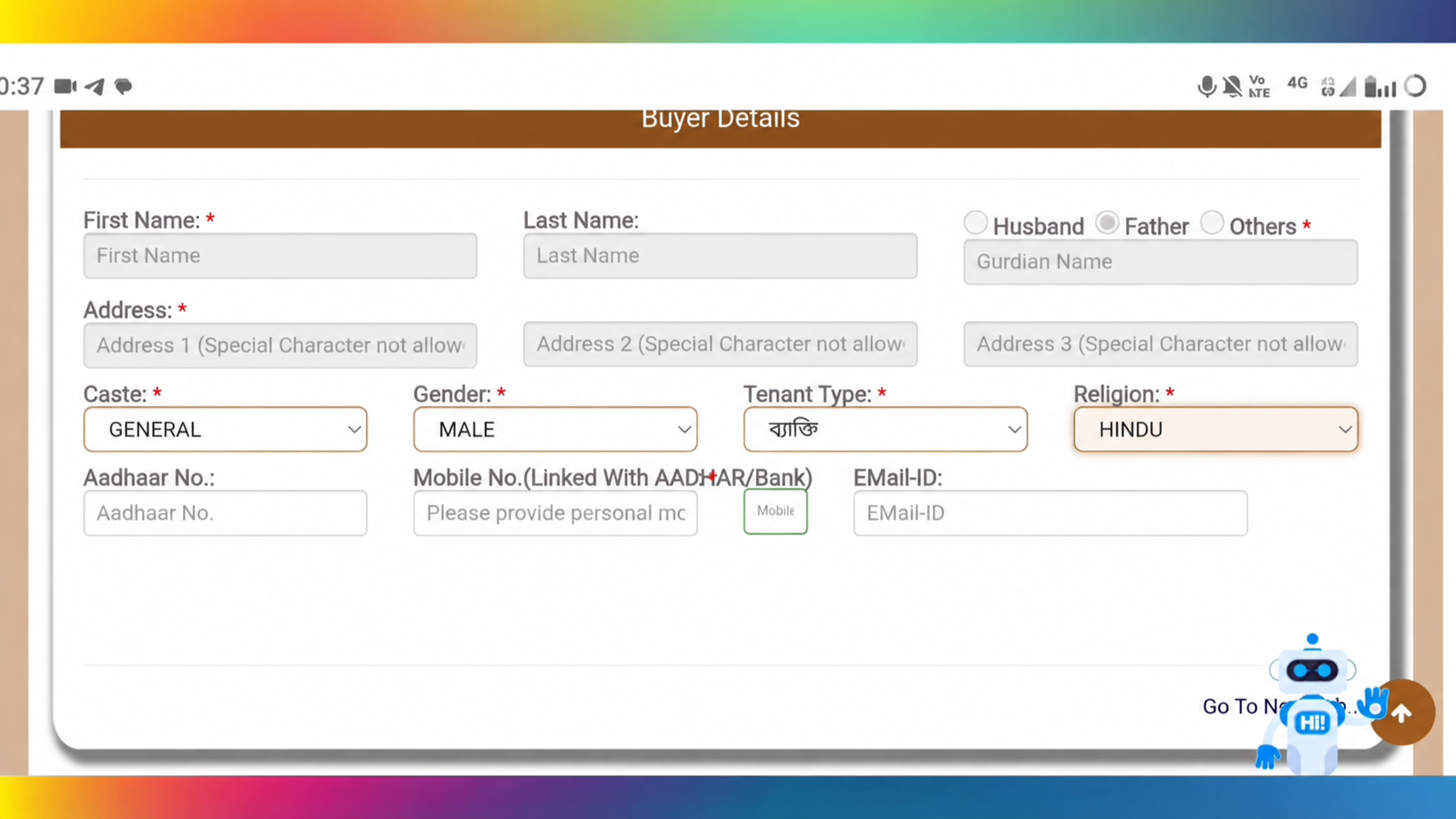
Documents and details to prepare
Use the enclosure list for your particular application. Do not treat a generic checklist as a requirement to upload every document below.
- The registered transfer deed or relevant supporting document for the transaction.
- Chain documents where requested to establish the transfer sequence.
- The relevant land-record references and available current rent/Khajna receipt.
- Case-specific inheritance, death, authority, court or other supporting documents, where required.
- Applicant and transferee/transferor particulars requested on the form.
- Any prescribed declaration and fee-payment evidence requested for the application.
A legal-heir document and a gift/transfer document are not interchangeable merely because an older checklist lists them together. Choose documents that support the actual mode of transfer and follow the current enclosure instructions.
Before uploading, check each file’s allowed format and size on the live form. Make sure pages are legible, complete and correctly oriented. Keep the originals; do not use invented details or another person’s documents to get past a required field.
Check location, record numbers and share area first
- Match district, block and mouza to the land papers. A similar mouza name can lead to a different record.
- Compare Khatian and plot numbers with the documents; copy any additional parts of the reference accurately.
- Where share area is requested, distinguish the interest concerned from the area of the whole plot. Check the unit before entering a value.
- Check the recorded classification and the relevant transaction description. Do not select a different classification simply to make a form proceed.
Our Khatian and Plot Information guide explains the basic lookup. If old and current plot numbers differ, use the separate RS–LR reference lookup where relevant before assuming the records concern different land.
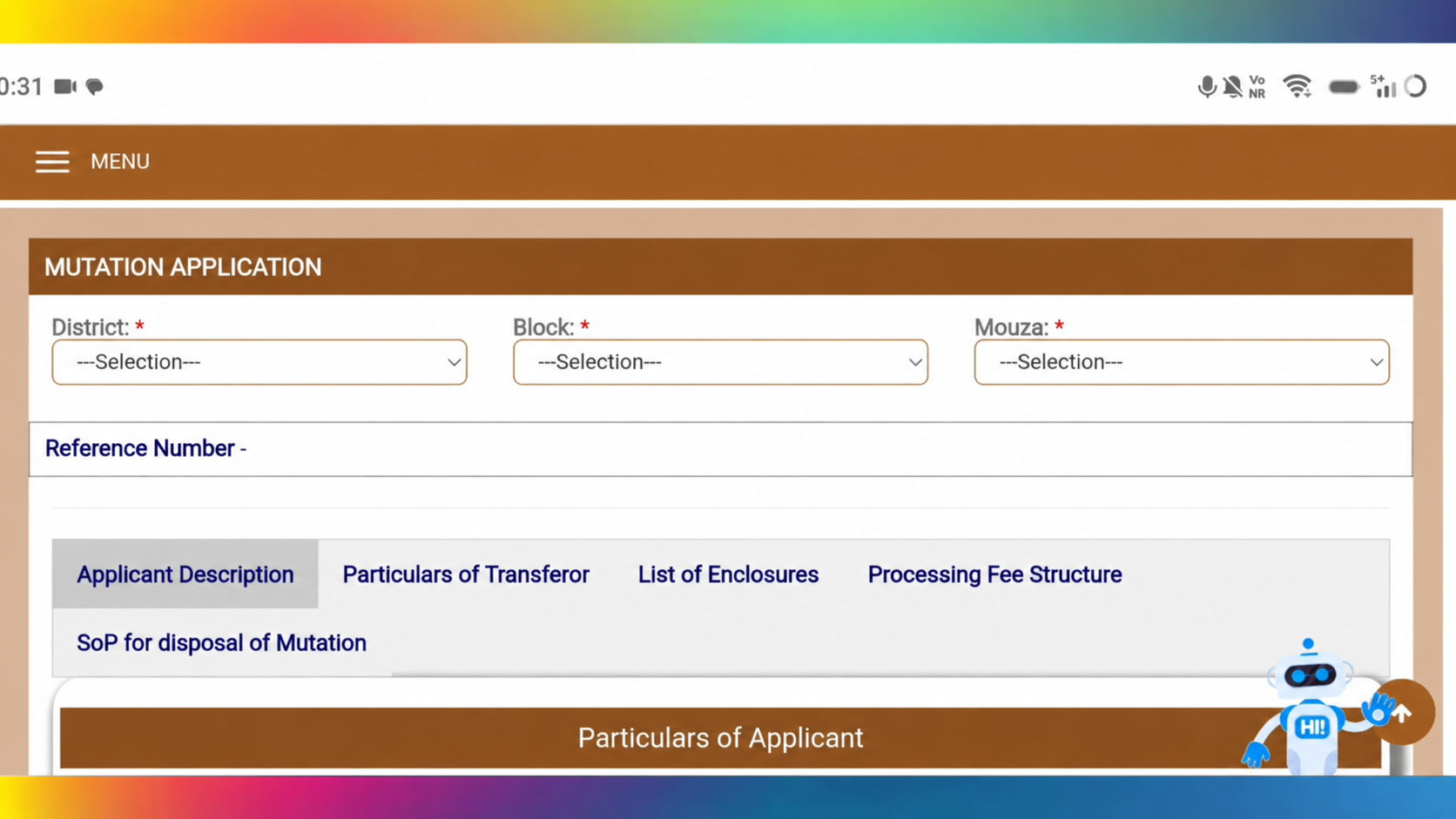
How to start the online mutation application
- Open the official portal. Use your existing account or the official registration option if you need an account and can provide the required details.
- Open Citizen Services → Online Application → Mutation Application.
- Select the correct District, Block and Mouza.
- Complete the applicant or representative details. Answer questions about existing Khatian, transfer and applicant capacity according to your records.
- Enter the relevant transaction/deed information and buyer/transferee details requested for your case.
- Complete seller/transferor particulars and the land schedule. Check plot, Khatian, classification, share area and units.
- Read the enclosure requirements, upload the matching documents and review the application preview where provided.
- Follow the live form’s save, submit and payment instructions in the order displayed. Save any reference before leaving the page or entering a payment flow.
- Retain the submitted acknowledgment and confirmed payment record. Return through the relevant status service to follow the case.
The form can vary with the selected answers and transaction type. Use the preparation overview above to organise your records, then follow the live official form. The submission and payment process has not been tested end to end for this guide.
Fees and payment: follow the application’s instructions
Do not assume one fixed fee applies to every mutation request. Check the official fee instructions and the calculation associated with the selected property and application. Older charts and tutorials should not override the current official demand.
Use the payment option linked to the correct application and keep its reference with the payment acknowledgment. If a government payment flow issues a GRN, save it separately from the application number. Follow the displayed sequence; do not assume every application must be paid before it can generate a reference.
If money is deducted but confirmation is unclear, check the existing transaction before making another payment. Our GRN Search guide explains payment follow-up. A successful bank debit does not by itself establish application approval.
After submission: acknowledgment, status and notices
Check that the acknowledgment matches the submitted application. Keep its reference, the land particulars and payment records together. For case tracking, use the Mutation Status guide and the fields required by the live search form.
Read any notice or remarks for documents, corrections, a hearing or another action. Follow the stated response instructions and dates. This guide does not promise that all cases will finish within three months or within a tutorial’s stated period; the applicable official service instructions and case circumstances determine the process.
For another available application copy or receipt, use Application / Receipt Reprint. Do not assume that every final mutation order is downloadable from the receipt-reprint screen. Obtain the decision through the official option or office applicable to your case.
Common problems before and after applying
| Problem | What to do next |
|---|---|
| Required detail is missing | Check the original records or obtain official clarification. Do not guess an answer. |
| Deed and record details differ | Identify the exact number, name, location or area mismatch and seek clarification with the supporting papers. |
| Document upload fails | Check the displayed format/size limit and whether every page remains readable after conversion. |
| Payment debited but no confirmation | Keep the references and check the matching transaction before retrying payment. |
| Acknowledgment not saved | Check downloads and saved confirmations, then use an appropriate official reprint or support route. |
| Pending or additional action requested | Read the remarks/notice and respond through the instructed channel. |
| Rejected or unclear decision | Read the official reason before deciding whether a correction or another step is appropriate; do not automatically file again. |
Final review before submission
- Correct service and actual mode of transfer selected.
- Applicant, buyer/transferee and transferor details entered in the appropriate sections.
- District, block, mouza, Khatian and plot references checked against the papers.
- Area/share and units reviewed.
- Applicable enclosures readable and matched to the right fields.
- Preview and declarations read before submission.
- Acknowledgment, application reference and payment details saved when issued.
Frequently asked questions
Is mutation application the same as checking mutation status?
No. Mutation Application starts the request; Mutation Status follows a request already submitted.
Should I select Self or POA Holder?
Choose the capacity in which you are actually applying and provide any authority evidence requested. Do not copy a tutorial’s selected option without checking your own situation.
Which documents are compulsory?
The current form and instructions for your transaction determine the required enclosures. Prepare the relevant transfer, land and applicant records; a generic list is not a universal checklist.
Is the application number the same as the GRN?
No. The application reference identifies the request; a GRN identifies the relevant government payment transaction where issued. Save both.
Does payment mean mutation is approved?
No. Payment confirmation, submission acknowledgment and the case decision are different records. Track the application and read the official result.
Can I download the final order from Receipt Reprint?
Do not assume that the receipt-reprint option provides every final order. Follow the order/document option or office instructions for your particular case.
Official reference
The official portal lists Mutation Application under Online Application. The prescribed mutation application proforma hosted by Bangla Sahayata Kendra illustrates applicant, transfer and land-schedule information. That proforma is older; use the current online instructions for enclosure, fee and submission requirements.