To use Banglarbhumi Citizen Services, open the official Banglarbhumi portal, sign in when prompted, and select the service that matches your task. Use a land-record search to view Khatian or plot information, an application service to submit a request, and the relevant status or payment option to follow up. Keep your land details and any application or payment reference ready.
For an overview of Khatian searches, mutation status, Khajna payments and related services, see our Banglarbhumi land records guide. Use that guide to choose a service, then follow the detailed instructions for your task.
How to open Banglarbhumi Citizen Services
- Open the official Banglarbhumi portal. This independent guide does not accept applications or payments.
- Use Sign In if the selected service requires an account. If you are new, use the portal’s registration option and complete the verification shown there.
- Open Citizen Services and choose the application, service delivery, payment or status option relevant to your task. Some property-search options may appear separately on the portal.
- Enter the requested location and reference details. Before submitting or paying, check the land particulars, applicant details and amount shown.
- Save the acknowledgment, application number and payment reference. Use these when checking status or reprinting a receipt.
Which Citizen Service should you choose?
| Your task | Service to look for | Keep ready |
|---|---|---|
| View Khatian or plot details | Know Your Property / land-record search | District, block, mouza and Khatian or plot number |
| Compare old and current plot references | RS-LR Plot Information | Location and the plot reference from your records |
| Apply for mutation or conversion | The matching online application | Applicant details and service-specific supporting documents |
| Request a land-record copy | Service Delivery: ROR Request or the relevant copy service | Land details and the references requested by the form |
| Check an existing application | The matching case or application status option | Application or case reference |
| Check a payment | GRN Search | GRN and other references requested on the page |
| Get another application or receipt printout | Application/Report Reprint | Application reference and requested identifying details |
Choose by the task you need to complete: viewing a record, requesting a copy, submitting an application and checking a payment are separate actions. Follow the menu labels and instructions currently shown on the official portal.
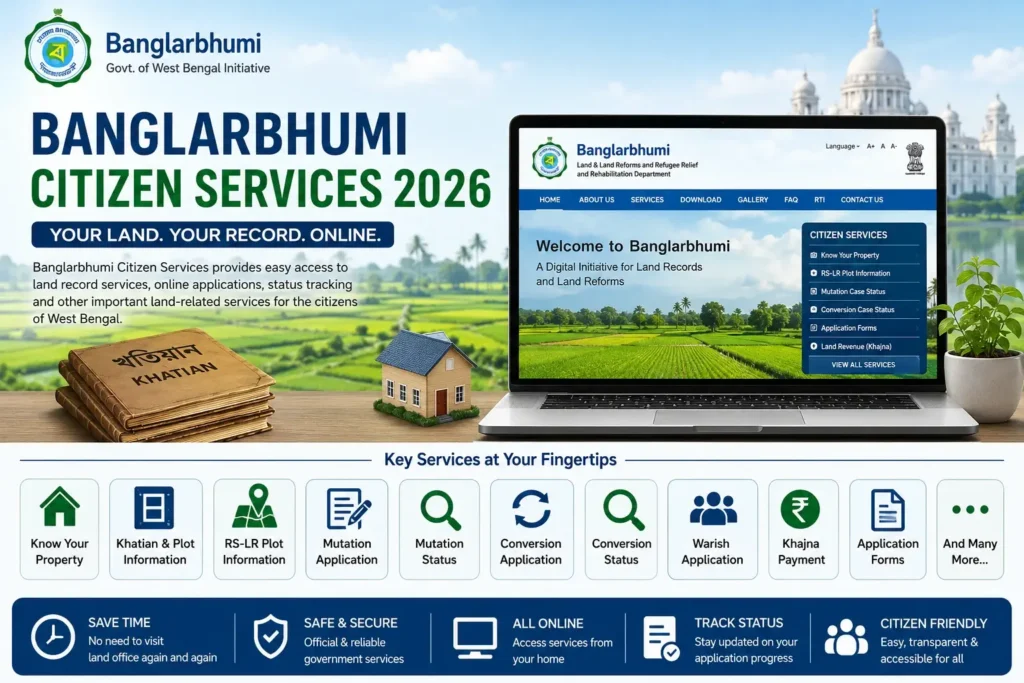
In 2026, many users visit the Banglarbhumi portal not only to check khatian and plot details but also to apply for services such as mutation, conversion, warish application, land revenue payment, and certified land record-related services. This guide explains the main citizen services available on Banglarbhumi and how users can use them correctly.
What is Banglarbhumi Citizen Services?
Banglarbhumi Citizen Services is a service section on the official Banglarbhumi portal that provides online access to different land and property-related services in West Bengal. It is designed to help citizens complete basic land record activities without visiting the land office for every small enquiry.
Through this section, users can access services related to land record search, mutation, conversion, RS-LR plot information, application forms, service status tracking, and other land record-related facilities. Some services may be available without login, while some application-based services may require user registration and login.
Main Services Available on Banglarbhumi
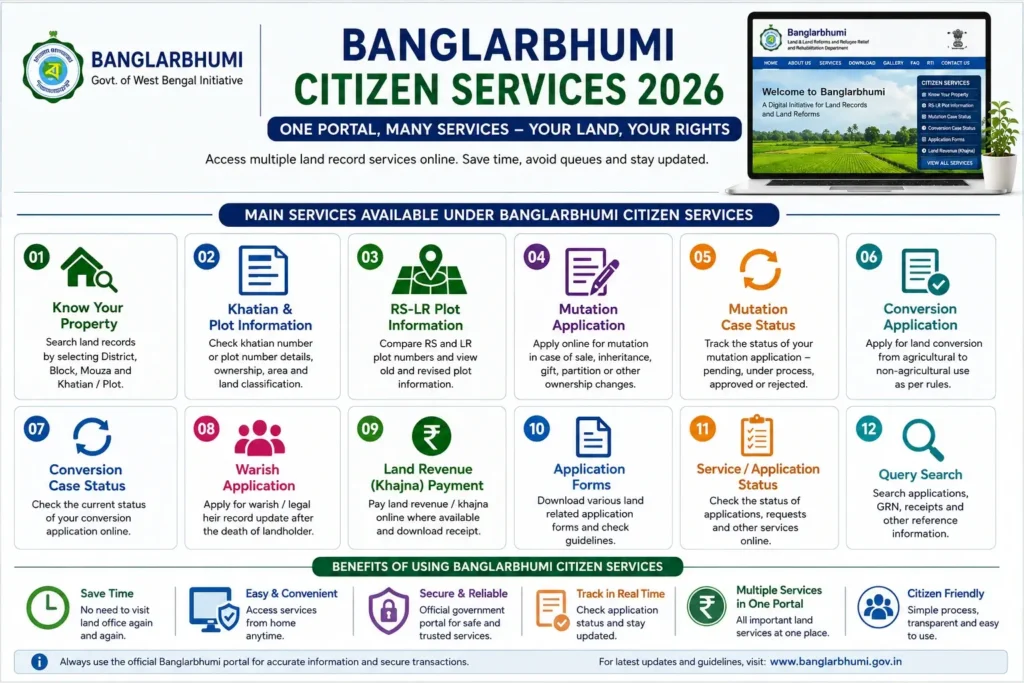
The Banglarbhumi portal provides multiple citizen-focused land services. The options may change based on portal updates, login status, and service availability. Some of the commonly used services include:
- Know Your Property
- Khatian and Plot Information
- RS-LR Plot Information
- Mutation Application
- Mutation Case Status
- Conversion Application
- Conversion Case Status
- Warish Application
- Land Revenue or Khajna Payment
- Application Forms
- Service Status Tracking
- Query Search
- Mouza-related information
- Public grievance or related support options
Users should always check the official portal for the latest service names and availability before submitting any application.
Banglarbhumi Know Your Property Service
Know Your Property is one of the most used services on the Banglarbhumi portal. It allows users to check basic land record details by selecting district, block, and mouza. After selecting the location details, users can search by khatian number or plot number.
This service is useful for checking basic property details such as recorded landholder information, plot details, land classification, and available land record data. It is commonly used before property purchase, mutation application, inheritance verification, and other land-related work.
For the search steps and location details to keep ready, read our Khatian and plot information guide.
Banglarbhumi Khatian and Plot Information
Khatian and plot details are central to West Bengal land record checking. A khatian number is usually connected with the recorded landholder or Record of Rights, while a plot number identifies a specific land parcel within a mouza.
Through Banglarbhumi Citizen Services, users can use the available land record search option to verify these details. This helps users compare online records with physical land documents. If there is any mismatch, they should contact the concerned land office for clarification.
Banglarbhumi RS-LR Plot Information
RS-LR Plot Information is useful for understanding the relationship between old settlement records and revised land records. In many cases, old land documents may contain RS plot numbers, while updated records may show LR plot numbers.
This service helps users compare plot references and understand changes in land record numbering. It can be useful during property verification, old document checking, mutation-related work, and land dispute clarification.
Banglarbhumi Mutation Application
Mutation is the process of updating land records after ownership transfer. This may be required after sale, inheritance, gift, partition, or other legal transfer of land.
Through Banglarbhumi, eligible users may apply for mutation online where the service is available. Before applying, users should keep all required documents ready. These may include deed details, identity proof, land documents, applicant details, and other supporting records depending on the case.
Mutation application should be completed carefully because wrong information may delay approval or require correction later.
Banglarbhumi Mutation Case Status
Mutation Case Status helps users track the progress of a mutation application. After submitting a mutation request, users can check whether the application is pending, under process, approved, rejected, or requires further action.
Status checking is useful because applicants do not need to visit the office repeatedly just to know the application stage. If the status shows any issue or objection, users should follow the instructions given by the department or contact the concerned office.
Banglarbhumi Conversion Application
Land conversion is the process of changing the classification or use of land as per applicable rules. For example, agricultural land may need conversion before being used for certain non-agricultural purposes, subject to government approval.
The conversion application service helps users apply for such changes online where available. Since conversion rules can be technical and depend on land type, location, and department approval, users should carefully read the official instructions before applying.
Banglarbhumi Conversion Case Status
Conversion Case Status allows users to check the progress of a conversion application. This helps applicants know whether the application is received, pending, under review, approved, rejected, or needs further clarification.
If the application is pending for a long time or requires correction, users should contact the concerned land office with the application details.
Banglarbhumi Warish Application
Warish application is related to legal heir or inheritance-related land record matters. After the death of a recorded landholder, family members or legal heirs may need to update or process land record details as per rules.
Through the available online services, users may apply for warish-related services where applicable. Since inheritance cases can involve multiple family members and documents, applicants should ensure that all required proofs and details are correct before submitting the application.
Banglarbhumi Land Revenue or Khajna Payment
Land revenue, commonly called Khajna, is another important service connected with land records. The Banglarbhumi portal provides land revenue-related options where users may be able to apply or pay revenue online based on service availability.
Before making any payment, users should verify the details carefully, including land record information, applicant details, and payment amount. After payment, keep the receipt or transaction reference safely for future use.
ROR Request, GRN Search and receipt reprint
For a record-copy request, see our ROR Request guide. A basic property search is different from requesting an official copy; select the document service required for your purpose and follow its delivery instructions.
If you need to check a payment reference, use the GRN Search guide. Checking payment status does not by itself establish that an application has been approved or a document is ready.
If you need another copy of an acknowledgment or receipt, follow the Application / Receipt Reprint guide. If money was deducted but the result is unclear, check the transaction status before attempting another payment.
Application Forms on Banglarbhumi
The Application Forms section helps users access important land-related forms. These forms may be required for different land record services, applications, corrections, or department processes.
Users should download or use only the latest forms from the official portal. Old or incorrect forms may lead to rejection or delay. If you are not sure which form is required, contact the local land office or check the official instructions.
Online Service Status
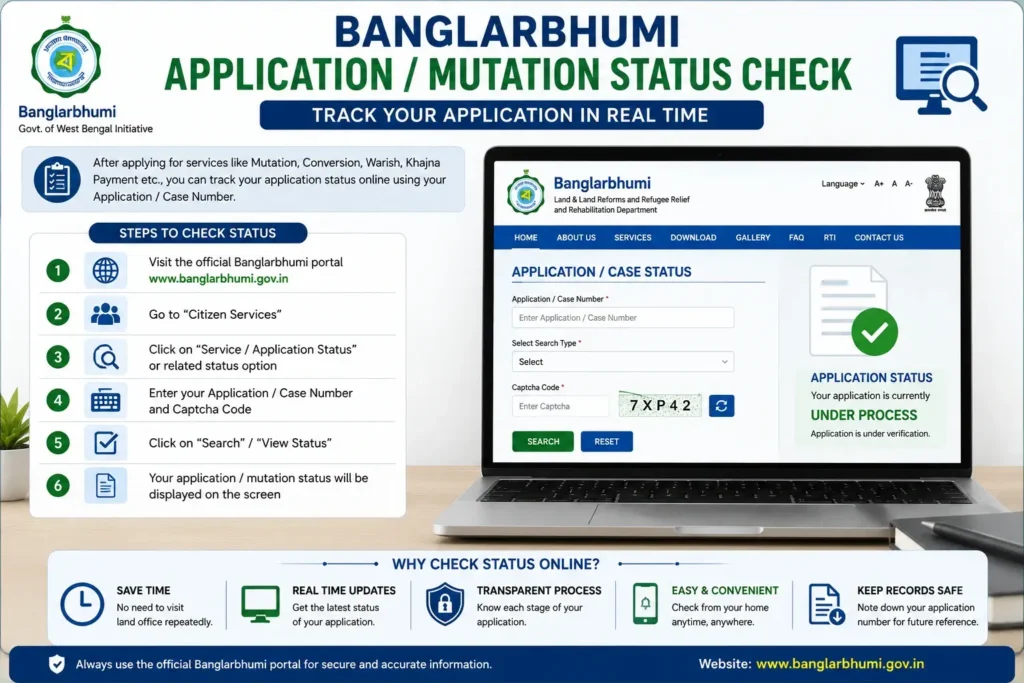
Online service status is useful for checking the progress of different applications submitted through Banglarbhumi. Users may need details such as application number, case number, or other reference information to track the status.
This option helps citizens know the current stage of their application without visiting the land office every time. If the status shows objection, rejection, or pending verification, users should follow the next steps suggested by the department.
Banglarbhumi Query Search
Query Search is useful when users want to search or verify available information related to applications or land services. The exact search options may depend on the service type and portal availability.
Users should enter correct reference details while using query search. Wrong information may show no result or unrelated records.
Mouza Information in Banglarbhumi
Mouza is an important land record unit in West Bengal. Many Banglarbhumi services require users to select the correct district, block, and mouza before searching or applying.
If the wrong mouza is selected, the result may not show the correct land record. So users should confirm the mouza name from old land documents, land office records, or other reliable documents before using the portal.
Documents You May Need for Citizen Services
The required documents depend on the service you use. Some services only need basic search details, while application-based services may need supporting documents.
Common details or documents may include:
- Khatian number
- Plot number
- District, block, and mouza
- Deed details
- Applicant name and address
- Mobile number
- Identity proof
- Land-related documents
- Legal heir documents, if applicable
- Payment receipt, if applicable
- Application or case number for status checking
Always check the official instructions for the exact document list before applying.
Common Problems While Using Banglarbhumi Citizen Services
Users may face a few common issues while using the portal.
1. Website Not Opening
The portal may sometimes load slowly due to high traffic, maintenance, or server issues. Try again after some time.
2. Login Problem
If login fails, check your username, password, captcha, and internet connection. If required, use the forgot password option.
3. Captcha Error
Enter the captcha exactly as shown. If it is not clear, refresh the captcha and try again.
4. No Record Found
This can happen due to wrong district, block, mouza, khatian number, plot number, or reference number. Recheck all details carefully.
5. Payment Issue
If payment is deducted but receipt is not generated, note the transaction reference and check the status later. If the issue continues, contact the concerned support or department.
6. Application Pending for Long Time
Some land-related applications may take time due to verification. If it remains pending for too long, contact the concerned land office with your application number.
Safety Tips Before Using Banglarbhumi Services
While using Banglarbhumi Citizen Services, follow these safety tips:
- Use only the official Banglarbhumi portal for applications and payments.
- Do not share your login password with unknown persons.
- Check district, block, and mouza carefully before submitting.
- Keep application numbers and payment receipts safely.
- Do not depend only on screenshots for legal purposes.
- Verify important records from the concerned department when needed.
- Avoid using unofficial websites for payment or sensitive details.
Banglarbhumi Citizen Services for Landowners
Landowners can use the portal to check land records, apply for mutation, pay land revenue where available, track application status, and verify plot-related details. It reduces the need for repeated office visits for basic checking.
However, if any record is incorrect or outdated, the landowner should contact the concerned land office for official correction.
Difference Between Citizen Services and Public Information
Citizen Services usually includes options where users can search, apply, track, or access land-related services. Public information sections may provide general land department information, notifications, forms, or other publicly available details.
For example, checking khatian details, mutation status, or applying for land services comes under citizen-focused usage. Reading general portal information or department updates may come under public information.
Important Things to Remember
Banglarbhumi Citizen Services can save time, but users should enter correct details and use the portal carefully. Land-related records are sensitive and important, so mistakes in applications may cause delays.
For legal, certified, disputed, or high-value property matters, always confirm the information through official sources. If needed, take help from the local land office or a qualified legal professional.
Frequently Asked Questions
Banglarbhumi Citizen Services is a section on the Banglarbhumi portal where users can access online land record services such as khatian and plot search, RS-LR plot information, mutation status, conversion status, land revenue services, and related applications.
You can access it by visiting the official Banglarbhumi portal and opening the Citizen Services section. Some services may be available directly, while some may require user registration and login.
Yes, users can check khatian and plot-related land record details through the available property search service on the Banglarbhumi portal.
RS-LR Plot Information helps users compare or understand plot details between old settlement records and revised land records. It is useful when old documents and updated records have different plot references.
Where the service is available, eligible users may apply for mutation online through Banglarbhumi. The applicant should enter correct details and upload or submit required documents as per official instructions.
You can check mutation case status through the Banglarbhumi Citizen Services section by entering the required case number, application details, or other reference information as requested by the portal.
Conversion case status shows the progress of a land conversion application. It helps users know whether the application is pending, under process, approved, rejected, or needs further action.
Basic search services may be available without payment, but application-based services, certified copies, land revenue payment, or other official services may require fees as per government rules.
Recheck the district, block, mouza, khatian number, plot number, or application reference. If the details are correct but no record appears, contact the concerned land office for clarification.
Online information is useful for basic checking and reference. For legal use, certified copies or official confirmation from the concerned department may be required
4 thoughts on “Banglarbhumi Citizen Services: Login, Applications & Status”
Comments are closed.